> For the complete documentation index, see [llms.txt](https://www.pentestwiki.com/llms.txt). Markdown versions of documentation pages are available by appending `.md` to page URLs; this page is available as [Markdown](https://www.pentestwiki.com/active-directory/sccm.md).
# SCCM
Microsoft Configuration Manager는 Windows 컴퓨터를 관리하는 목적으로 제공되는 소프트웨어입니다.
Systems Management Server에서 시작되었지만 System Center Configuration Manager로 이름이 바뀐 이후 많은 미디어에서 SCCM으로 불리며 현재까지 SCCM으로 통용됩니다.
근본적으로 SCCM은 도메인 내 시스템들에게 소프트웨어 등을 배포하기 위한 중앙 관리형 솔루션입니다. 서버는 리소스를 받게 할 클라이언트를 디바이스 컬렉션 단위로 지정합니다.
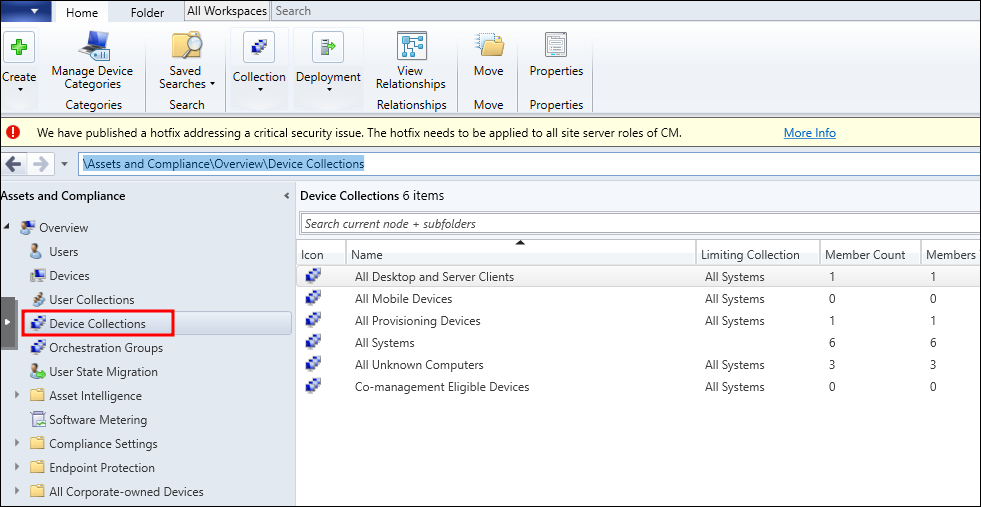
위 사진은 별도로 컬렉션을 생성하지 않은 SCCM 서버의 기본 컬렉션입니다. 컬렉션에 대한 접근 제어는 역할 기반으로 이뤄지기 때문에 실제로 존재하는 컬렉션의 결과보다 현재 권한에서 확인한 컬렉션의 결과가 더 적게 나타날 수 있습니다. (ADCS와 유사합니다.)
## Abuse
# SCCM 서버 정보 확인
([ADSISearcher]("objectClass=mSSMSManagementPoint")).FindAll() | % {$_.Properties}

# 컬렉션 열거
.\SharpSCCM.exe get collections --no-banner

# 사용자 그룹 권한 열거
.\SharpSCCM.exe get class-instances SMS_Admin --no-banner

# 컬렉션 구성원 열거
.\SharpSCCM.exe get collection-members -n <Collection> --no-banner